IMPORTANT: If the account created for you is in the Staging environment, an environment designed for client testing, you do not need to go through the following process again when approved changes are pushed to the live application, also known as Production. Existing user accounts will carry over from Staging to Production, and you can log in with the same email and password.
If you are a new user, account information will be generated by the system and sent to you via email. The email will include a link to complete your account registration. Your username is your email address, and you will need to create a new password in the “Create Password" box. Selecting the “Create Password” box will show the requirements you must follow when creating your password.
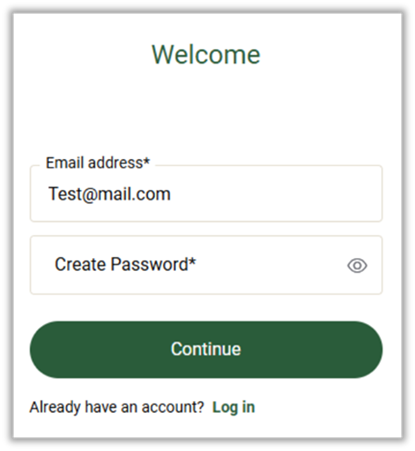
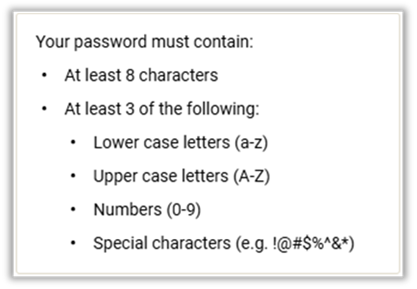
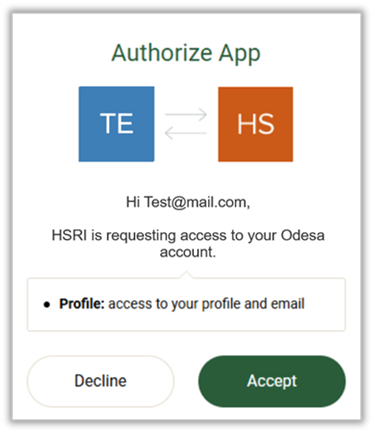
After successfully creating a new password, you will receive a series of prompts. First, you must authorize HSRI to have access to your ODESA account.
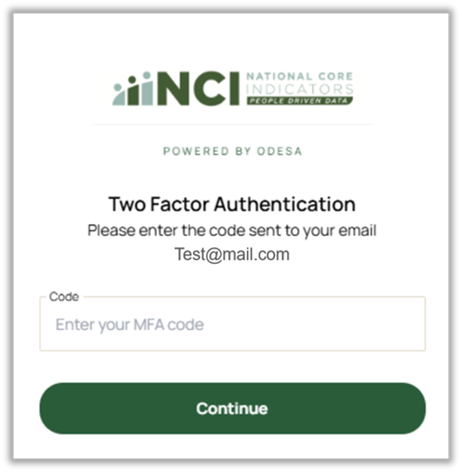
Next, you will be sent a two-factor authentication email with a four-digit code, and you must enter it to verify your account. The email will be sent to the same address where your invitation link was sent.
Please note: every time you log into ODESA in the future, you will be sent another code and must enter it to proceed.
Lastly, you will be prompted to accept the client invitation for the state to which you have been assigned.
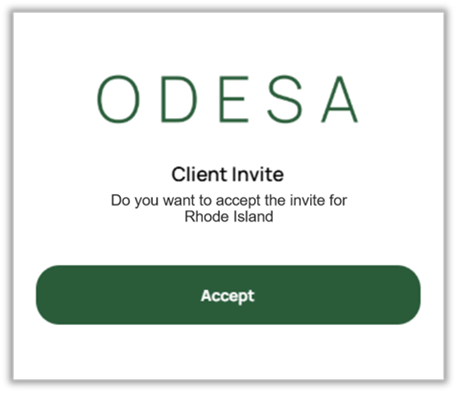
Once these prompts have been completed, you will arrive at the ODESA home page.
Please note: it is possible for unauthenticated users to access the Family Surveys directly without going through this process. This is called “Direct Entry.” Those unauthenticated users (“guest users”) can enter their survey data into the Family Surveys via a direct survey link and entering a Consumer ID. See “Direct Entry” section later in this manual.
Was this article helpful?
That’s Great!
Thank you for your feedback
Sorry! We couldn't be helpful
Thank you for your feedback
Feedback sent
We appreciate your effort and will try to fix the article