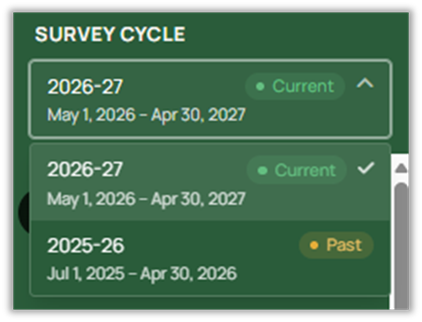
Using the dropdown menu under “Survey Cycle” in the lefthand panel, users can switch between the current survey cycle and previous cycle. When first logging in, the most recent cycle a user has access to will be selected by default. A message will be displayed stating which cycle is currently active for the user and whether they have access to other cycles

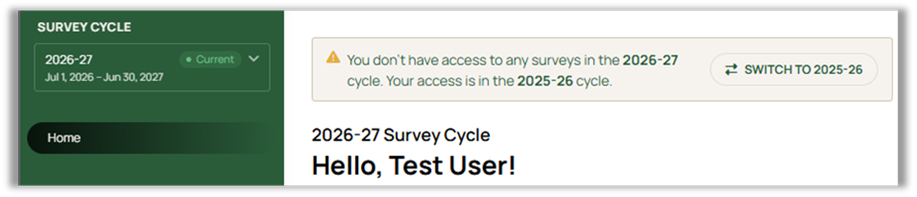
Selecting the dropdown menu will shows the current and previous cycle. Note: if you are on one of the survey grid pages, changing the survey cycle will return you to the home screen.
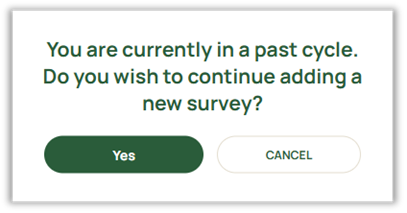
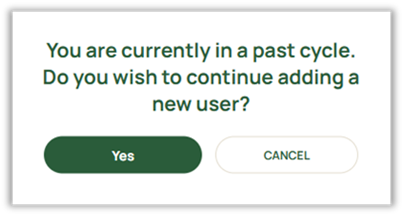
A warning will be displayed if an attempt is made to add, edit, or delete surveys in a past cycle. For administrators, it will also appear when attempting to add, edit, or delete Groups or Users. After a survey cycle has been completed for your state, any changes to data from a past cycle should be made with extreme caution to avoid affecting metrics already being used by states. If you are unsure whether data from a past survey cycle can be modified, please consult your State Client Administrator or the NCI team before making any changes.
Was this article helpful?
That’s Great!
Thank you for your feedback
Sorry! We couldn't be helpful
Thank you for your feedback
Feedback sent
We appreciate your effort and will try to fix the article